Updated April 2026
AUS Credentials | FNMA and FHLMC (DO/DU and LPA)
Coast2Coast Mortgage manages your DO/DU (Fannie Mae) and LPA (Freddie Mac) credentials for you. If you are a long-time employee and have credentials entered, it is much easier to remove them to avoid password issues, etc.
If you have any errors regarding Fannie Mae credentials when running AUS in ARIVE, please perform the following steps to ensure that your credentials are not entered:
- If not already logged in, please login to your ARIVE account at https://coast2coast.myarive.com
- Once logged in, please click the following link: https://coast2coast.myarive.com/app/user/edit/credentials#DO
- If that doesn't work for any reason, please follow there directions:
- Click on the small circle in the top-right corner and select User Settings form the drop-down
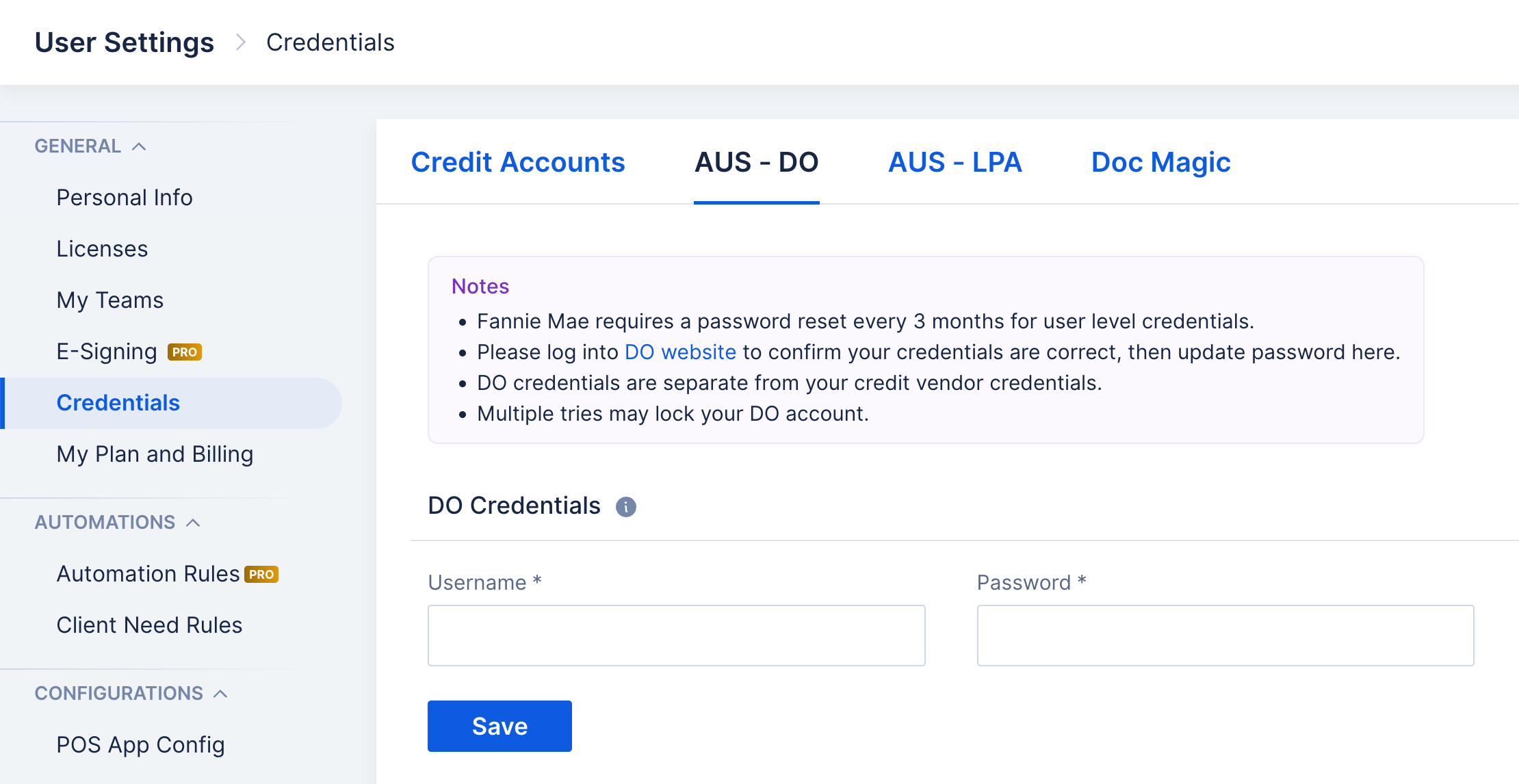
- Click on "Credentials" from the left-hand bar
- Click on "AUS - DO" in the top bar
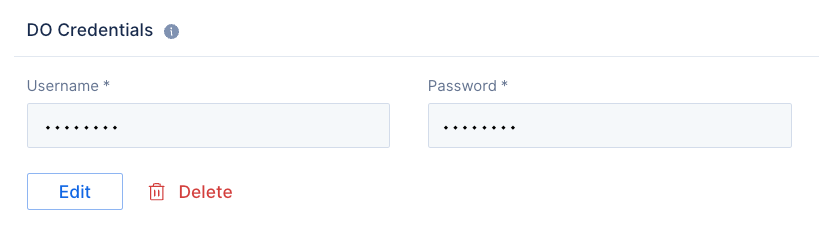
- Once at the "AUS-DO" screen, please ensure that there are no credentials entered. If credentials are currently showing, please click on "Delete" to remove.
- If the instructions above were successful, your screen should look like the screen shot below. You should now be able to head back into your loan to run AUS.
Was this article helpful?
That’s Great!
Thank you for your feedback
Sorry! We couldn't be helpful
Thank you for your feedback
Feedback sent
We appreciate your effort and will try to fix the article